The Graph
在构建 dApp 时获取智能合约的历史数据往往令人头疼。The Graph (opens in a new tab) 通过子图(Subgraph)API,为智能合约数据提供便捷的查询方式。其基础设施依赖去中心化索引者网络,可让你的 dApp 真正实现去中心化。
快速上手
这些子图只需几分钟即可搭建。按照以下三步开始:
- 初始化子图项目
- 部署并发布
- 在 dApp 中查询
以下为详细步骤:
1. 初始化子图项目
在 Subgraph Studio 创建子图
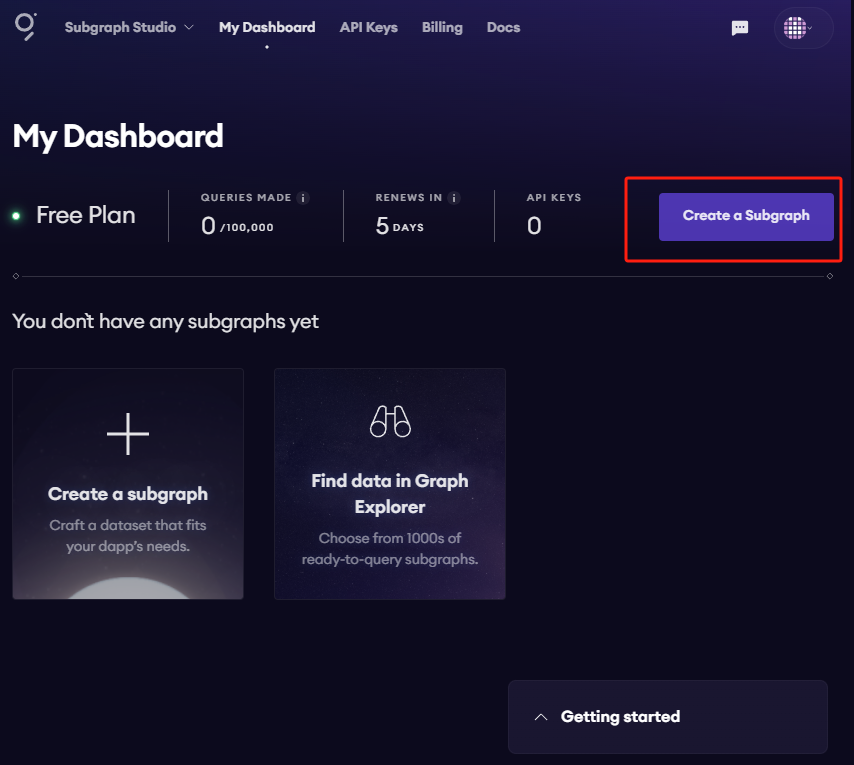
进入 Subgraph Studio (opens in a new tab) 并连接钱包。连接后点击 “Create a Subgraph” 即可开始。命名时建议使用标题格式(Title Case),例如 “Subgraph Name Chain Name”。
创建后会进入子图页面,右侧列出了所需的 CLI 命令:
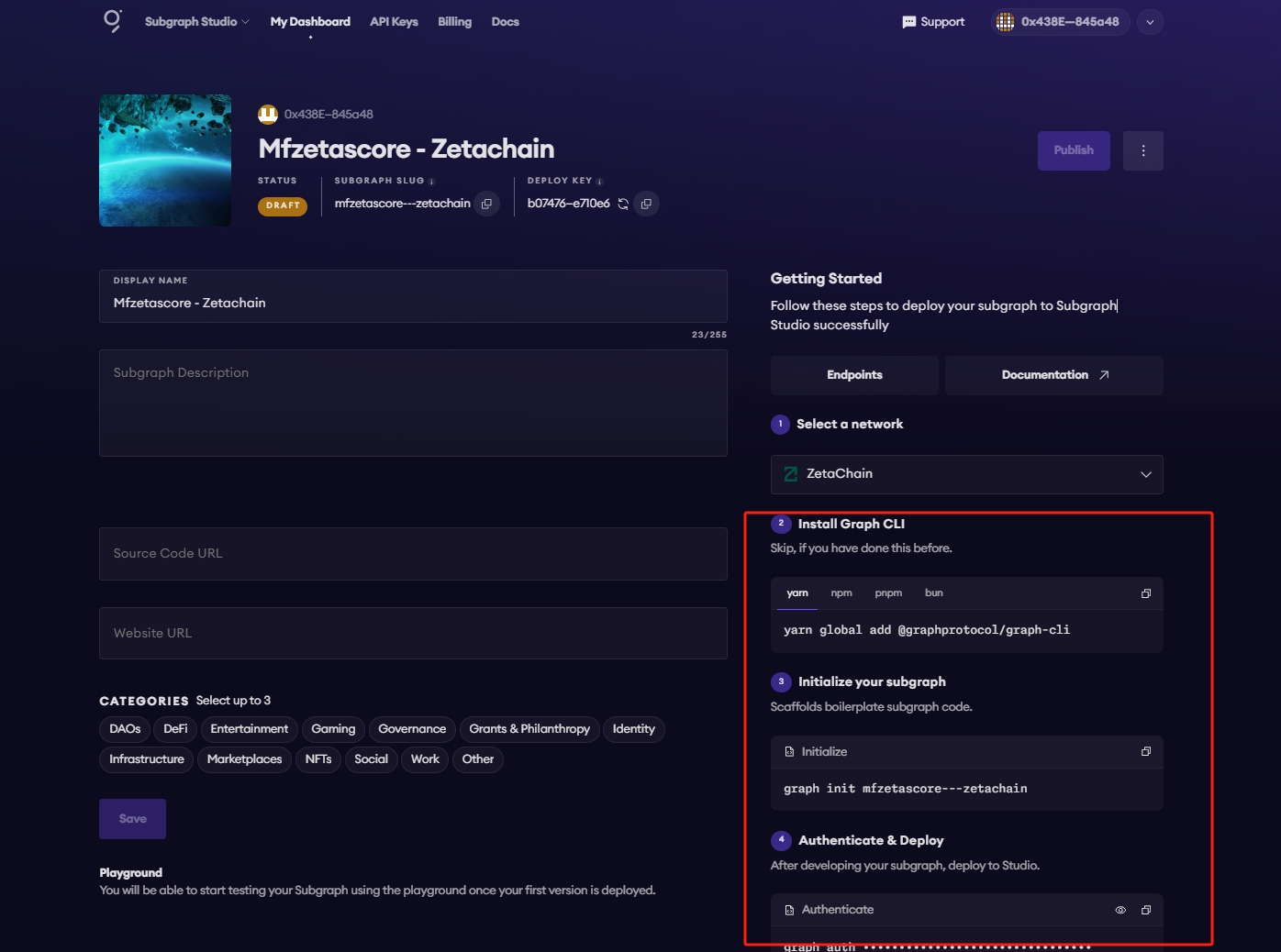
安装 Graph CLI
在本地运行:
npm install -g @graphprotocol/graph-cli初始化子图
可直接从子图页面复制命令(含专属 slug):
graph init --studio <SUBGRAPH_SLUG>CLI 会提示你填写相关信息:
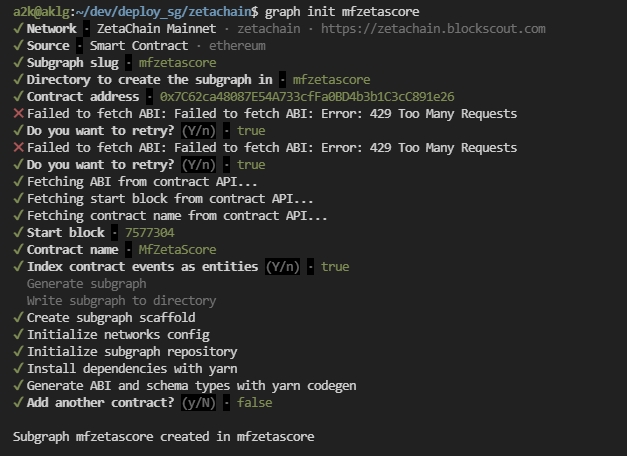
确保合约已在区块浏览器通过验证,CLI 会自动获取 ABI 并完成初始化。如未成功获取 ABI,可重试解决。
2. 部署并发布
部署到 Subgraph Studio
先运行:
$ graph codegen
$ graph build
接着运行以下命令进行认证与部署(可从子图页面复制,包含专属 deploy key 与 slug):
$ graph auth --studio <DEPLOY_KEY>
$ graph deploy --studio <SUBGRAPH_SLUG>
系统会要求输入版本标签,可填写 v0.0.1 等自定义格式。
测试子图
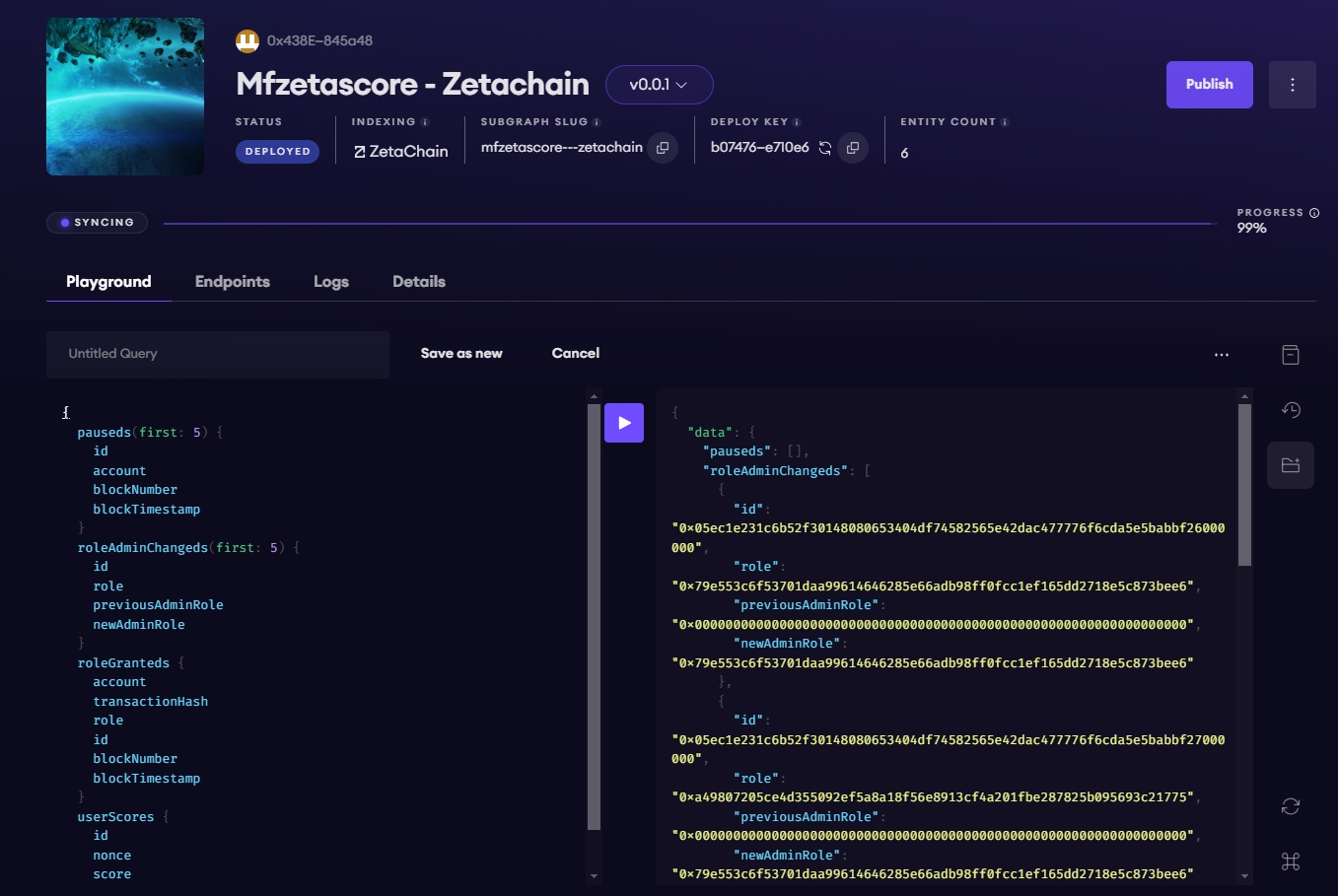
可在 Playground 区域执行示例查询。详情页会显示 API 端点,可在 dApp 中使用该端点。
将子图发布到 The Graph 去中心化网络
当子图准备上线时,可发布到去中心化网络。在 Subgraph Studio 的子图页面点击 “Publish”:
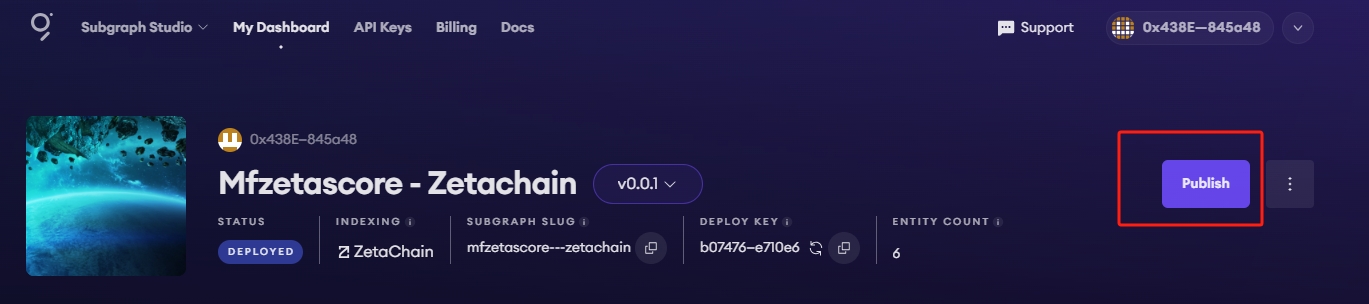
需要在 Arbitrum One 上支付交易费用 —— The Graph 的智能合约均部署在 Arbitrum One,即便你的子图索引的是其他链数据。
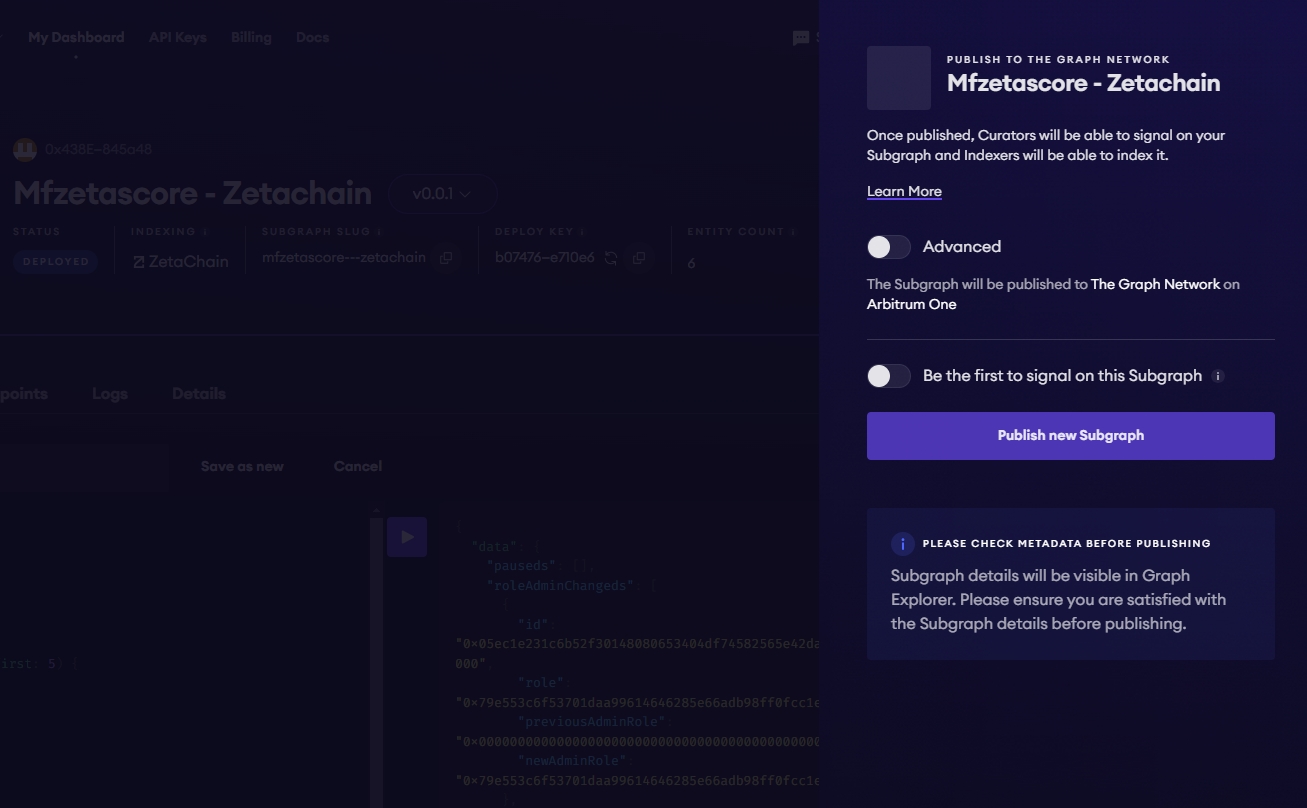
提示: 发布时若看到 “Partial Indexer Support” 警告,表示该链上的子图目前仅由 The Graph 默认索引者索引,尚无独立索引者参与。测试网通常存在此限制。主网上该提示会在链启用索引者奖励后消失,届时可吸引更多索引者支持你的子图。
3. 查询子图
恭喜!你现在可以在去中心化网络上查询子图。
对于去中心化网络上的任意子图,只需向其 Explorer 页面顶部的查询 URL 发送 GraphQL 请求即可。
下例来自 Messari 的 CryptoPunks Ethereum 子图 (opens in a new tab):
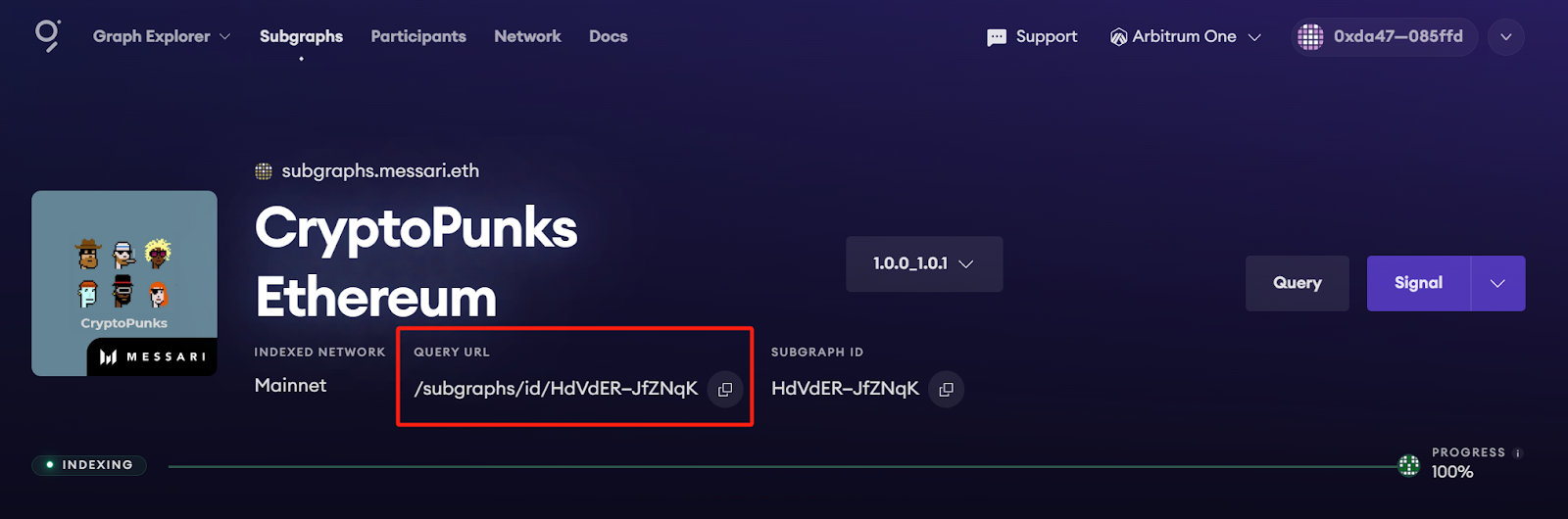
该子图的查询 URL 为:
https://gateway-arbitrum.network.thegraph.com/api/[api-key]/subgraphs/id/HdVdERFUe8h61vm2fDyycgxjsde5PbB832NHgJfZNqK
将你的 API Key 填入后即可向该端点发送 GraphQL 查询。
获取 API Key
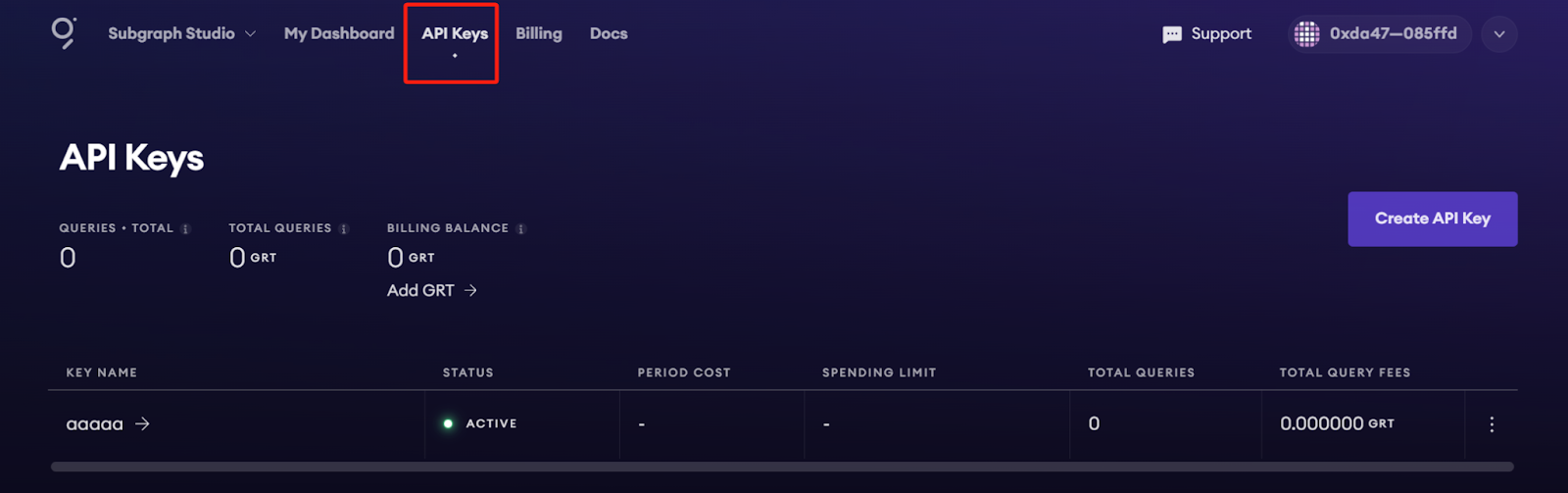
在 Subgraph Studio 页面顶部选择 “API Keys” 菜单即可创建。
附录
示例查询
以下查询返回售价最高的 CryptoPunks:
{
  trades(orderBy: priceETH, orderDirection: desc) {
    priceETH
    tokenId
  }
}
将其发送至查询 URL 会返回如下结果:
{
  "data": {
    "trades": [
      {
        "priceETH": "124457.067524886018255505",
        "tokenId": "9998"
      },
      {
        "priceETH": "8000",
        "tokenId": "5822"
      },
// ...示例代码
const axios = require('axios');

const graphqlQuery = `{
  trades(orderBy: priceETH, orderDirection: desc) {
    priceETH
    tokenId
  }
}`;
const queryUrl = 'https://gateway-arbitrum.network.thegraph.com/api/[api-key]/subgraphs/id/HdVdERFUe8h61vm2fDyycHgxjsde5PbB832NHgJfZNqK'

const graphQLRequest = {
  method: 'post',
  url: queryUrl,
  data: {
    query: graphqlQuery,
  },
};

// 发送 GraphQL 查询
axios(graphQLRequest)
  .then((response) => {
    // 在此处理响应
    const data = response.data.data
    console.log(data)

  })
  .catch((error) => {
    // 处理错误
    console.error(error);
  });
更多资源
- 想优化与自定义子图以提升性能,可阅读创建子图指南 (opens in a new tab)。
- 若需了解更多查询方法,请参考查询文档 (opens in a new tab)。***